
dear friend
i tried to pop up with outlook exp, but error coming, pls guide
the error message is
The host 'smtp.gmail. com' could not be found. Please verify that you have entered the server name correctly. Account: 'pop.gmail.com'
The host 'smtp.gmail. com' could not be found. Please verify that you have entered the server name correctly. Account: 'pop.gmail.com'
pls advice, thanks
mohandas,
"GIRISH KUMAR. M" <girish_kumarm@
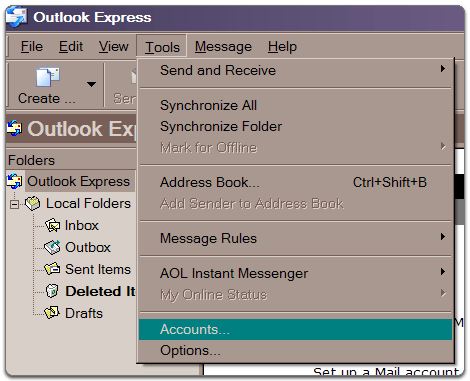
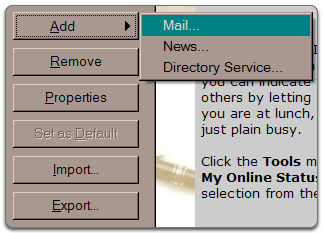
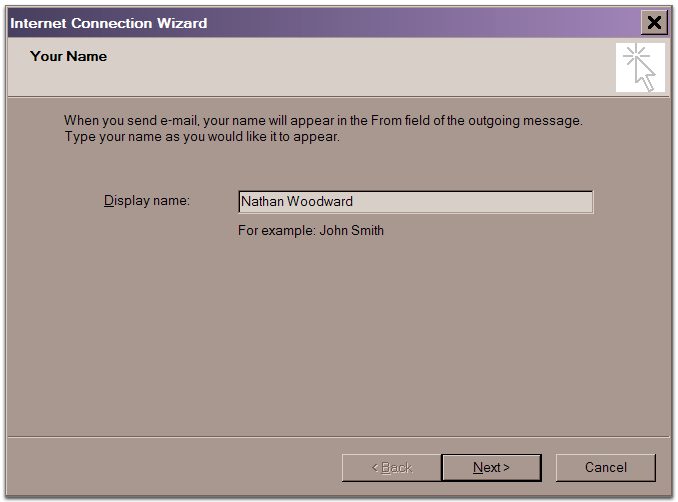
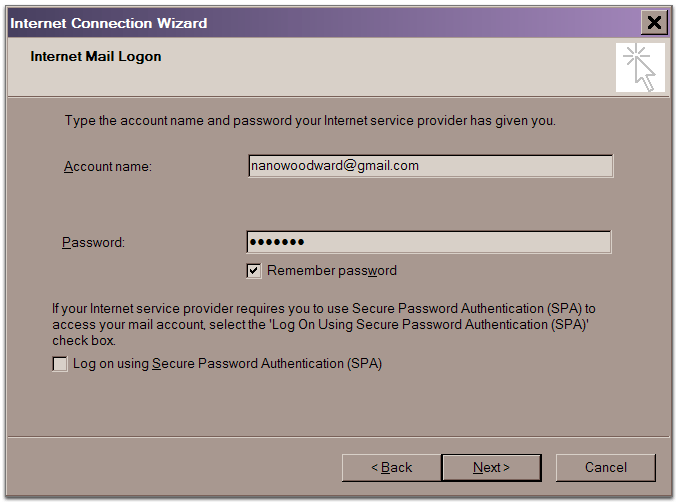
*The order of 'Outgoing' and 'Incoming' mail server fields varies by version. Make sure you enter the correct information in each field. 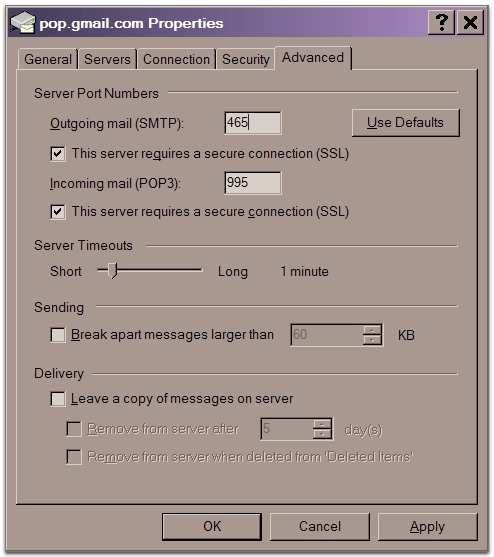
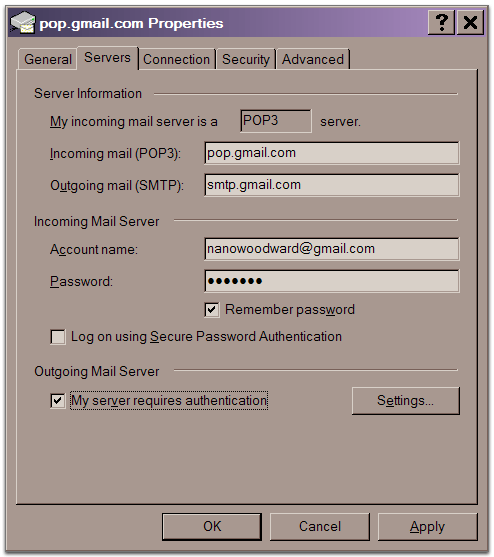
Be a better friend, newshound, and know-it-all with Yahoo! Mobile. Try it now.
_.oo.
_.u[[/;:,. _,odMMMMMM'
.o888UU[[[/;:-. .o@P^' MMM^
oN88888UU[[[/;::-. dP^
dNMMNN888UU[[[/;:--. .o@P^
,MMMMMMN888UU[[/;::-. o@^
NNMMMNN888UU[[[/~.o@P^
888888888UU[[[/o@^-..
oI8888UU[[[/o@P^:--..
.@^ YUU[[[/o@^;::---..
oMP ^/o@P^;:::---..
.dMMM .o@^ ^;::---...
dMMMMMMM@^` `^^^^
YMMMUP^ KERALA-ONLINE
^^ WWW.KERALAFORUMS.COM
Note : Avoid forwarding forwarded emails. Whenever you intend to send
forwarded messages to the group please do ensure to delete all the email addresses and the forwarded symbol '>'. The best way to FORWARD a message is to copy and paste the message alone, to your new email and insert the attachment if any. This will reduce the amount of bytes received, time spend for receiving the emails and the members can view your postings by simply opening one email, which is the most important thing.
Kerala-Online Team
Earn your degree in as few as 2 years - Advance your career with an AS, BS, MS degree - College-Finder.net.
Earn your degree in as few as 2 years - Advance your career with an AS, BS, MS degree - College-Finder.net.

Change settings via the Web (Yahoo! ID required)
Change settings via email: Switch delivery to Daily Digest | Switch format to Traditional
Visit Your Group | Yahoo! Groups Terms of Use | Unsubscribe
__,_._,___

0 comments:
Post a Comment